
Your first cloud project doesn’t need a big budget or a long migration plan. In 2026, many small teams can replace old servers with cloud computing in days, not months.
Cloud computing means you use online services for storage, computing power, and apps, instead of buying and running hardware yourself. You basically rent what you need, when you need it. Then you pay only for usage beyond the free limits.
Because free tiers from top providers are more beginner-friendly than ever, plus AI tools and serverless options are now easier to try, the first steps to start using cloud computing are simpler than they used to be. If you follow a short plan, you can deploy something real today.
Grasp Cloud Computing Basics to Build Your Confidence
Think of cloud computing like renting a workshop. You get the tools (servers, storage, and software platforms) without owning the building. When you grow, you rent more tools. When demand drops, you scale down.
Here’s the simple breakdown. Instead of managing physical machines, you manage services in a web console. You can also run apps from anywhere, as long as you have an internet connection. That’s why cloud is popular for remote teams, seasonal traffic, and fast launches.
Cloud also changes how you pay. With traditional servers, you often spend upfront (CapEx), then pay maintenance later. With cloud, you typically treat costs like a monthly bill (OpEx). As a result, small experiments cost less, and larger projects can scale without a hardware shopping trip.
In 2026, two trends make cloud easier to start:
- Serverless: run code without managing servers
- AI integration: add AI features through managed services
Even if you’re not building AI apps, those trends matter. They bring more ready-to-use templates and beginner paths.
Understand the Main Types of Cloud Services
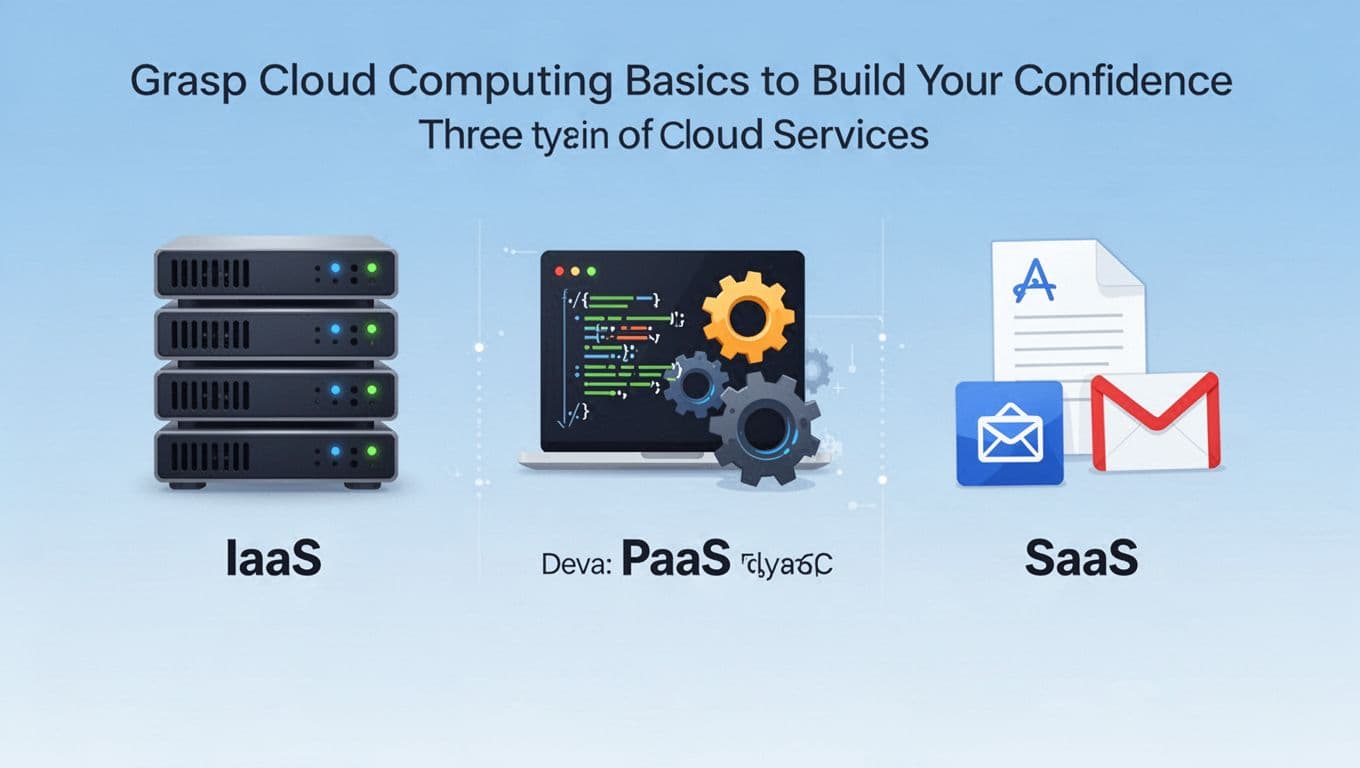
Cloud isn’t one thing. It’s a set of service types. Once you know the types, you can pick what to use without getting lost.
IaaS (Infrastructure as a Service) gives you virtual machines. You get compute like a real server, but it runs in the provider’s data center. Example: AWS EC2, where you create a VM and install your own software.
PaaS (Platform as a Service) is a higher layer. You deploy code, and the platform handles the runtime. Example: AWS Elastic Beanstalk or Azure App Service, where you push an app and it runs.
SaaS (Software as a Service) is ready-to-use software. You log in and start working. Example: Google Docs or Microsoft 365 apps in the browser.
Most beginners start with IaaS because it feels hands-on. You can see a server turn on, then verify it works. After that, you can move up to PaaS or pure SaaS when you want less setup.
If you’re testing cloud for the first time, aim for one small goal. For example, host a simple web page, or store a folder in cloud storage. Small wins build confidence fast.
See Why Cloud Saves Time and Money Right Away
Cloud can save you money quickly, but the bigger win is usually time. You stop waiting on hardware and start shipping.
Here are four benefits you’ll notice early:
- Lower risk costs: free tiers and trial credits let you experiment. You can learn without buying gear first.
- Fast scaling: when traffic spikes, you can add capacity. When it drops, you reduce it.
- Access from anywhere: your files and apps work across devices and locations.
- Less maintenance: managed services handle patching and updates for you.
Also, modern teams track spend more closely now. FinOps practices (and tooling) help you watch usage and costs. Instead of guessing, you set billing alerts and review cost dashboards.
One quick reality check: cloud can cost more if you ignore limits. So when you start, set alerts and stay within free limits until you understand pricing.
Pick the Best Beginner Cloud Provider and Sign Up Free
Choosing a provider feels scary, but you don’t have to “pick forever.” Your goal is to start learning on one platform, then compare later.
Here’s a quick beginner-friendly comparison.
| Provider | Best for beginners | Free option to start |
|---|---|---|
| AWS | Most learning resources | AWS Free Tier with up to 6 months of free access and credits |
| Azure | Microsoft-friendly setups | Free services and credits for new accounts |
| Google Cloud | Strong data and AI tools | Always Free usage plus trial credits for new users |
A common mistake is signing up with three providers at once. It’s better to pick one, learn the console, and run one project end-to-end.
AWS: The Go-To Choice for Most First-Timers
AWS is often the easiest starting point because it has lots of guides and examples. It also offers clear beginner programs and a big set of services.
If you want a direct path to “see it work,” focus on:
- EC2 for virtual machines
- S3 for storage
- Lambda for serverless code later
New users can start with the AWS Free Tier program. It includes up to $200 in credits and time-limited free access for exploring. You can also use “Always Free” services with limits. For the official details, use AWS Free Tier.
Before you deploy anything, read the basics on billing and limits. The AWS Free Tier FAQs helps you understand how charges can happen if you exceed limits.
Azure: Seamless if You Know Microsoft Tools
If your team already uses Windows, Microsoft 365, or common Azure-style workflows, Azure can feel natural. You’ll also find good managed services for apps and storage.
For beginner experiments, explore:
- Virtual machines for hands-on hosting
- Blob storage for file storage
- Functions for serverless code
Azure’s free options include free services with monthly limits, plus time-limited access for new accounts. For the current lineup, check Explore Free Azure Services.
When you sign up, keep an eye on regions and service limits. That small habit helps you avoid “surprise” spend later.
Google Cloud: Jumpstart with AI and Data Features
Google Cloud is popular if you care about data, analytics, or AI projects. It’s also great if you want a smooth path from storage to compute to managed services.
Beginner choices often include:
- Compute Engine for VMs
- Cloud Storage for files
- Managed AI tools for experiments later
Google Cloud offers free options too, including trial credits for new users and Always Free usage. Start with Google Cloud Free. Then build your first proof using guided docs like Get started with Google Cloud.
If you want a first project that connects storage and compute, Google Cloud is a strong match.
Launch Your First Cloud Project in Under an Hour
You’re not trying to build a whole company platform. You’re trying to run one small experiment and see results immediately.
The simplest “first cloud project” looks like this:
- Create an account
- Launch a free VM
- Put a tiny web page on it
- View it in your browser
Here’s the key mindset: you’re learning the workflow, not perfecting architecture.
For the hands-on steps, use official quickstarts from your provider. For example, AWS has beginner onboarding materials here: Getting started with AWS.
Set Up Your Account and Poke Around the Dashboard
Start with the basics:
- Verify your email (most providers require it)
- Pick a default region
- Open the main services menu
Most consoles feel busy at first. That’s normal. Use the search bar in the console to find the specific service you need, like “EC2” or “Compute Engine.”
Also, set billing controls early. Many providers let you set spend limits or alerts. Even if you plan to stay in free tiers, alerts help you learn safely.
As you explore, resist the urge to create lots of resources. Create one item, test it, then move on.
Deploy a Basic Virtual Machine and Web Server
Now for the fun part. Deploy a small VM using the free tier option. Most providers let you choose an instance type, then create it with a few clicks.
Next, connect to the VM (often using a browser-based terminal or SSH). Then install a simple web server.
A basic path looks like:
- Create a “hello world” HTML page
- Start the web server
- Open the public IP address in your browser
When you see your page load, you’ll feel the difference right away. Cloud stops being “theoretical.” It becomes your environment.
Also, keep it small. Use the smallest free-friendly instance type. Then delete it after your test.
Test Storage by Uploading Your First Files
After compute, test storage. Storage is the easiest cloud win because you can validate it fast.
For the first run, create a storage bucket/container. Then upload a file like a PDF, image, or text file. Many providers let you share a link for testing.
In practice, you’ll learn:
- how permissions work (public vs private)
- how to locate objects quickly
- how to think about data organization (folders, naming, lifecycle)
Finally, download your file back from the cloud to confirm success. If upload or access feels slow, check region settings. That’s often the cause.
Follow This 1-6 Month Roadmap to Master Cloud Skills
A roadmap keeps you moving. It also prevents random “service hopping.” In 2026, you can learn cloud with small projects, daily practice, and clear goals.
Try for 2 to 3 hours per day at first. Then adjust based on your schedule. The key is repetition plus one new concept each week.
Here’s a beginner path that works well for people switching into cloud roles. It also works for builders who want cloud skills for their own products.
You’ll cover basics, then compute and networking, then app deployments. After that, you can add serverless and AI features.
Free resources to support your learning include official docs and provider tutorials. You can also use beginner-friendly video channels and labs, as long as you still test by building.
You may also want a starting certification later, like AWS Cloud Practitioner. It helps structure your learning and gives you a baseline for interviews.
Month 1: Lock In Fundamentals with Quick Projects
Your mission in month one is simple: learn the console and deploy small things.
Focus on:
- Creating and stopping VMs
- Uploading and managing files in cloud storage
- Understanding network basics like ports and access rules
Project idea: build a private web server. Host a tiny site on a VM, then restrict access so only you can reach it.
Also practice cleanup. Delete resources you don’t need. This habit alone saves money and stress.
At the end of the month, you should be able to answer: “Where do I create compute, storage, and networking settings?”
Months 2-4: Level Up to Apps, Databases, and Serverless
Next, expand from “server runs a page” to “an app does work.”
Try one small app deployment. Then add a database. Many beginners start with a managed database service to avoid setup pain.
Then move to serverless. For example, build a small function that runs when a file gets uploaded. That gives you a realistic view of event-driven apps.
You can also add AI features in a safe way. Many AI services offer trial credits or guided access. The goal isn’t to build a chatbot empire. It’s to learn how AI calls plug into an app.
Months 5-6 and Beyond: Trends, Certs, and Real Portfolio
In later months, go beyond basics. Learn the stuff that shows up in real jobs and real apps.
Good next topics:
- Monitoring and basic alerting
- Infrastructure as code basics (like Terraform)
- Security habits (least privilege, secrets handling)
- Simple automation scripts for repeat tasks
If you’re aiming for work, build a small portfolio. One hosted app plus one serverless experiment plus one storage-heavy project looks strong.
Also, consider learning a tool like Terraform once you feel comfortable with resources. It helps you recreate environments without clicking through everything.
AI and serverless will keep growing in 2026. Your early practice will help you move faster when you’re ready.
Conclusion
The first steps to start using cloud computing are simple: learn the service types, pick one provider, then build one working project. When you see a VM serve a page and storage hold your files, cloud stops feeling vague.
Start small, stay inside free limits, and build confidence through repeat practice. Then your next step gets easier, faster, and cheaper.
Sign up with one provider today, launch your first VM, and share what you built in the comments. What will you host first?