Your cloud can look locked down, then someone logs in as you. That’s not a horror story. Around 83% of cloud breaches start with identity issues, like stolen logins or weak access rules.
A common scene plays out every few months: a team uses the same password at work and at home, a vendor account gets hit, or an over-permissioned service key leaks. Then the attacker doesn’t “break” the cloud. They use a valid door.
So what does unauthorized access mean in real life? It’s any login, token, API call, or service action that reaches your data without the right approvals. Sometimes the attacker steals credentials. Other times they trick systems into granting too much.
The good news: you can block most intrusions with a focused set of habits and controls. Next, you’ll learn how the main threats work in 2026, then how to shut the door fast with MFA, tight IAM, encryption, and strong monitoring. After that, you’ll see practical tools that help teams keep cloud security manageable.
Spot the Top Threats to Your Cloud Data in 2026
In March 2026 reporting, cloud risk isn’t driven only by “mysterious hacks.” It’s driven by basic failures that turn into access. For example, one recent analysis highlighted how identity problems drive most cloud breaches, and AI agents can make this trend worse by finding weak spots faster (83% of Cloud Breaches Start with Identity).
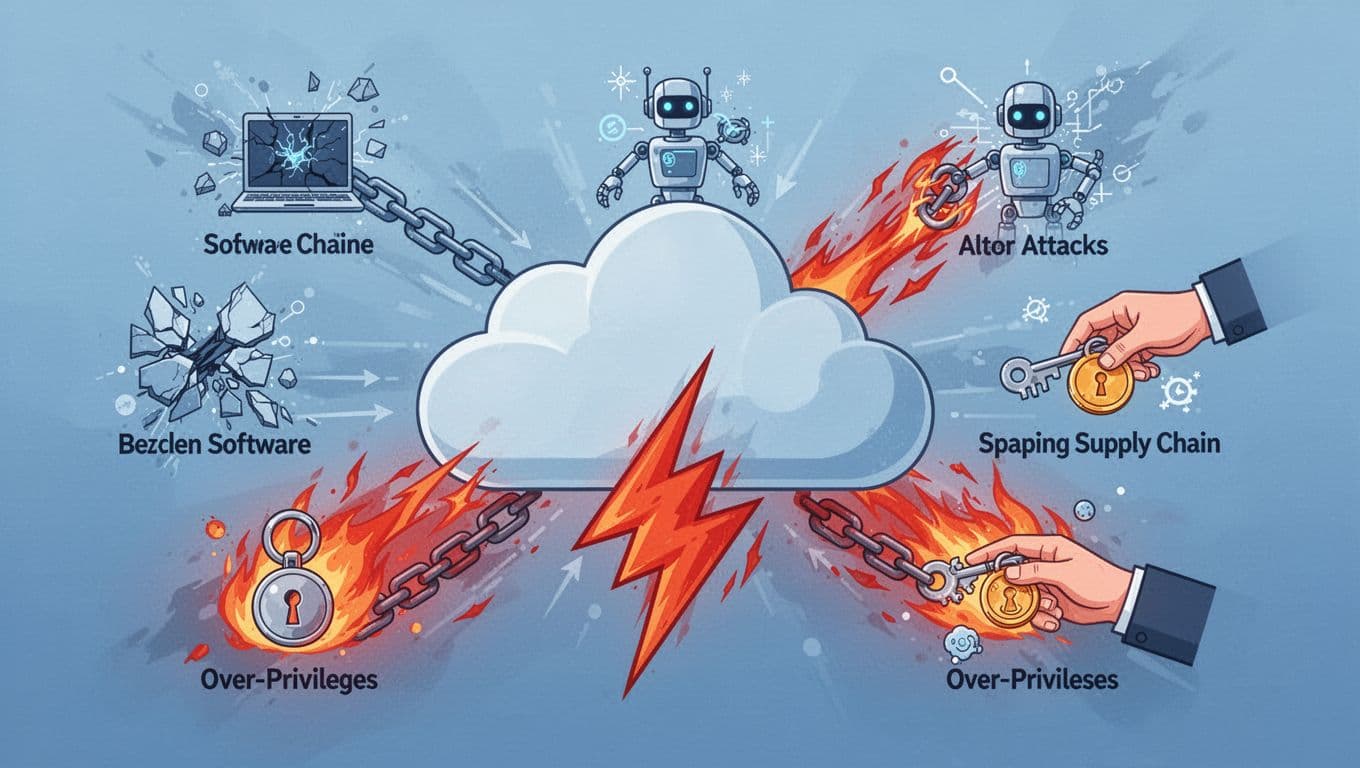
Here are the threat themes that show up again and again, plus how they lead to unauthorized access.
Weak Spots in Apps and Unpatched Software
Attackers often don’t start with a stolen password anymore. Instead, they look for entry points in apps and cloud services. In March 2026 reporting, cloud assets average 115 vulnerabilities, and 87% of cloud malware uses known flaws. That means patching delays can turn into open doors.
A simple way to picture this: your cloud is like a large office building. If one suite has a broken window lock, an intruder can walk in without picking every other door. Once inside, they probe for accounts, tokens, and data.
Third-party apps add another layer. Many teams install integrations, run vendor-managed apps, or use packaged services they did not write. If one of those components is out of date or misconfigured, attackers can sometimes pivot into your cloud environment.
Also, AI speeds up the hunt. It helps attackers map what you run, then test likely weak points quickly. That’s why people now see intrusions happen on shorter timelines.
You can also find this pattern discussed in updated threat reporting, including how intrusions increasingly lean on unpatched software and compromised identities (software vulnerabilities push credential abuse aside in cloud intrusions). The takeaway is simple: patching and inventory work are not optional.
AI Attacks and Token Theft Tricks
AI is changing cloud attacks in two ways. First, attackers use it to speed up discovery. Second, they use it to produce believable content or automated attempts that bypass weak defenses.
A key detail for unauthorized access: the attacker’s goal often shifts from “crack encryption” to “steal a working key.” In March 2026 data, 86% of breaches involve stolen credentials, and 28M new secrets leaked were reported in GitHub (with more exposure coming from AI-assisted commits).
So what does token theft look like? It can be as plain as a stolen session token, or as messy as logs and secrets exposed in places like code repos. Once an attacker has a token, MFA may not matter in the moment, because the token already proves access.
AI also makes token theft and misuse more efficient. It can help attackers:
- Identify exposed secrets in repo-like storage patterns
- Automate attempts against web and API endpoints
- Generate fast phishing messages that lead to account takeover
If your team uses AI tools, you also need governance. Cloud and AI security updates in 2026 stress continuous exposure management and better control of machine identities and AI agents (The State of Cloud and AI Security in 2026). The core point: AI changes both attacker speed and what “identity” means.
Over-Permissive Access and Supply Chain Risks
Not all unauthorized access is about hacking. Many breaches begin because someone granted too much, then forgot about it.
In March 2026 reporting, 70% of cloud breaches start with compromised identities, and over-permissive access shows up when teams create broad roles “just to make it work.” Over time, that access spreads. New tools get added. Old accounts linger. Keys rotate late. Then a single compromise turns into a data grab.
Supply chain risk pushes the same problem from a different angle. If a vendor is breached, they may hand attackers a path into your systems through integrations or shared credentials.
Two real examples show the scale:
- Marquis Health (780K people affected) connected to SonicWall cloud backup ransomware exposure (via cloud backup access).
- AT&T (73M records) tied to third-party cloud credentials.
These stories matter because they explain the mechanics. Attackers don’t need to break your cloud on day one. They need one valid credential or one reachable integration endpoint.
Identity sprawl adds fuel. Many organizations now have non-human users, service accounts, and short-lived credentials. If teams treat these like “set it and forget it,” attackers can exploit stale access. Also, weak review processes make it harder to spot accounts that no longer have a clear business owner.
Simple Steps to Block Unauthorized Access Right Away
You don’t need a huge tool stack to cut risk fast. You need a tight set of controls that stop the earliest signs of compromise. Think of it like layers on a house, not one giant lock.
Below are four practical steps. Each one blocks a specific path that attackers commonly use.
Turn On Multi-Factor Authentication Everywhere
MFA is the most visible line of defense for account takeover. In March 2026 reporting, 61% of organizations have root users without MFA. That alone should make you pause.
Use MFA everywhere you can. Prefer hardware keys or authenticator apps over SMS. Also, apply MFA to admin consoles, cloud consoles, identity providers, and any email or ticketing system that can reset passwords.
Why does this stop unauthorized access? Because stolen credentials are only useful if the attacker can pass your second check. When MFA stands firm, credential-based intrusions lose their speed.
Here’s the gotcha many teams miss:
Root and admin accounts act like master keys. If they lack MFA, everything else is weaker.
If you can only do one change this week, do this one first. Roll out MFA to every account that can access cloud data or change cloud settings.
Set Up Smart Access Controls with IAM
IAM is where unauthorized access often grows quietly. It happens when teams grant wide roles, then forget to review them.
Start with least privilege. Give users and service accounts only what they need. Then review access on a schedule, not after an incident.
A strong baseline includes:
- Remove roles you don’t use
- Delete dormant accounts
- Shorten access windows for high-risk actions
- Require approvals for permission changes
Also, track service accounts. They often get created for apps, then kept forever. If one service key leaks, attackers can use it even without a human login.
Quarterly review works well for many teams. If your environment changes faster, review more often. The goal is to spot drift early. That reduces the chance that a small compromise turns into broad data access.
Encrypt All Your Data Before and After It Moves
Encryption doesn’t stop every attack. However, it reduces what an attacker can do once they access your storage.
Use encryption in two phases:
- At rest (when data is stored)
- In transit (when data travels)
When data sits in cloud storage, encrypt it so stolen files don’t open like a plain spreadsheet. When data moves between services, use secure transport so session traffic can’t be read easily.
Most modern cloud stacks support strong encryption modes, and many organizations use AES-256 for data at rest. Your job is to confirm it’s enabled for buckets, databases, backups, and databases snapshots. Also confirm it’s enabled for uploads, downloads, and service-to-service traffic.
If you build an internal habit here, you’ll sleep better. Attackers might still reach data. Encryption helps make the breach less useful.
Watch and Log Every Login and Change
If you can’t see access, you can’t stop unauthorized access early. So monitoring matters just as much as prevention.
Set up alerts for:
- Logins from new locations or devices
- Sudden spikes in API calls
- New service account creation
- Permission changes on roles and policies
Also, keep logs long enough to investigate. Many compliance plans expect 90+ days of log retention, but even shorter periods help you respond faster. Aim for the longest window your tools can support and your policy allows.
Finally, watch your configuration, not just your events. Misconfigurations like open storage buckets can turn into instant public access. Monitoring plus regular checks catch those issues before attackers find them.
Top Tools That Make Cloud Security Effortless in 2026
Tools don’t replace basics. Still, the right tools make basics easier to keep up with.
Cloud security tools often fall into different jobs:
- Secrets management (keys and tokens)
- Threat detection (real-time)
- Compliance support (policies and audits)
- Configuration scanning (finding drift and misconfigs)
Most teams start with one “must-have” category, then expand after they see where work piles up.
Here’s a quick comparison of tool types that match today’s threats.
| Tool | Best for | What it helps you stop |
|---|---|---|
| HashiCorp Vault | Secret storage and rotation | Stolen API keys and long-lived credentials |
| SentinelOne | Real-time threat detection | Suspicious activity and risky exposures in workloads |
| Microsoft Defender for Cloud, Qualys | Compliance and scanning | Misconfigs that lead to public data or weak controls |
The rest is choosing based on your cloud mix and your biggest pain point.
HashiCorp Vault for Secure Secret Storage
When attackers steal secrets, they often skip the hard part. They just grab credentials that already work.
HashiCorp Vault helps by centralizing secrets and enabling rotation. Instead of scattering API keys across apps, it stores them in one place with controlled access.
It also supports modern setups, including hybrid cloud needs. That matters if you run multiple clouds or keep some systems on-prem.
If you want a clear win: Vault reduces secret sprawl. It makes it harder for an attacker to find long-lived keys in random places.
SentinelOne’s AI-Powered Real-Time Protection
SentinelOne focuses on detection and response. It can watch endpoints, workloads, and cloud-related activity patterns. It’s built to flag suspicious behavior quickly.
In practice, teams use this kind of tool for real-time scanning and protection. It can also help with secret scanning and workload visibility, so you find issues before they become incidents.
If you want a broader list of tool categories and examples, SentinelOne’s overview can help you think through options (5 Best Cloud Security Tools For 2026). It’s not a checklist, but it’s a good starting point for how tools map to risks.
Microsoft Defender and Qualys for Compliance and Fixes
Compliance work and security work overlap now. Audits force teams to prove controls, and that often leads to better monitoring and tighter configuration.
Microsoft Defender for Cloud supports cloud security posture management and threat protections aligned to common regulatory needs. Meanwhile, Qualys TotalCloud is often used for cloud config checks and remediation workflows.
For a deeper look at how compliance tools get selected, Qualys published a list focused on audit readiness for enterprise teams (Top 10 Cloud Compliance Tools 2026). The value here is seeing how evidence collection and risk-based scanning fit together.
Choose based on whether your biggest gap is detection, misconfig prevention, or proof for auditors. Many teams pair one detection tool with one scanning and compliance tool.
Build Habits That Keep Hackers Out for Good
Tools help, but habits decide your long-term results.
Start with a shift toward zero trust thinking. That means you treat access as temporary and verified, not permanent and assumed. Then add just-in-time access for admin tasks, so high permissions don’t sit around all month.
Next, run regular audits. Review:
- Who has admin rights
- Which service accounts exist
- What keys and tokens are still active
- Which third-party apps got access over time
Also block shadow IT. If employees can create accounts and services without review, unauthorized access becomes a policy problem. Even a small number of unmanaged tools can create risky paths.
Finally, keep your environment current. Patch unpatched apps. Rotate secrets. Re-check open storage and network rules. Cloud threat reports keep pointing out that attackers benefit from known weaknesses and slow fixes, so patching cadence matters (Cloud Threat Horizons Report H1 2026).
The goal isn’t fear. It’s control.
Conclusion
Unauthorized access usually doesn’t start with a Hollywood-style hack. It starts with identity failures, exposed secrets, or access granted too broadly.
If you do just three things, make them count: turn on MFA for every account that can touch cloud data, tighten IAM with least privilege and regular reviews, then encrypt and monitor so stolen access doesn’t turn into stolen value.
Now take action today. Check your root and admin accounts for MFA, confirm encryption is enabled end to end, and review your alerting setup. What’s the first control you’ll fix in the next 24 hours?