If you pick the wrong cloud, you can pay for it for years. The top three providers (AWS, Azure, and Google Cloud) sit at about 63% to 71% of the market, and global public cloud spending already tops $830 billion. When teams choose too fast or too blind, they often hit the same wall, costs creep up, apps slow down, and downtime turns into a real headache.
You might also feel stuck between options, especially if you have growing workloads, mixed data, or a tight budget. In short, you need a clear way to match cloud services to your real needs, not just your favorite vendor’s pitch.
In the sections ahead, you’ll see a simple path to choose the right fit, starting with your needs, then moving through the key factors, a practical provider comparison, and the trends that affect pricing and performance, plus a few steps you can use at any business size. Next, let’s start by assessing what you actually need from the cloud.
Figure Out Exactly What Your Business Needs from the Cloud
Before you compare AWS vs Azure vs Google Cloud, get specific about what your business needs. Cloud choices get expensive when they match a vendor slide deck instead of your real workloads, timelines, and constraints.
Start by treating the cloud like a set of tools in a workshop. The right tools save time every day. The wrong tools create rework, training gaps, and avoidable downtime.
Match Cloud to Your Team’s Skills and Tools
Your team’s skills matter as much as feature lists. If your engineers already build on AWS, they will move faster with fewer surprises. If you lean heavily on Microsoft apps, Azure often fits more naturally. If your workflows revolve around Google tools and data stacks, Google Cloud can feel familiar.
Migration ease usually follows the same pattern. Teams with existing Terraform patterns, IaC habits, CI/CD pipelines, and monitoring setups can reuse those practices. Meanwhile, teams facing a full skill switch spend time on basics instead of shipping updates. That turns into real training cost, plus a slower first release.
Also look at developer experience. Good cloud platforms make it easier to connect services, manage permissions, and debug issues. Check for:
- Developer-friendly APIs and consistent SDKs
- Clear documentation with working examples
- Strong local testing and staging support
- Support for your current auth and identity style
If you want a quick sanity check, use a service mapping chart as a guide for how your team’s current skills translate. This helps you avoid thinking in brand names and start thinking in capabilities. One example is the “service mapping” style comparison in AWS vs Azure vs GCP Service Mapping.

Here’s a practical way to decide: list your top 5 workloads (like web app hosting, data processing, analytics, backups, or AI experiments). Then note which platform each workload fits best, based on what your team already knows and what migration will cost in time.
Plan for Growth and Flexibility
Even if you run stable workloads today, you need room to grow tomorrow. That means you should plan for sudden demand, future systems, and changing rules. Cloud flexibility is how you avoid a “we’ll fix it later” trap.
Start with scale. Look for features like:
- Auto-scaling for traffic spikes (marketing launches, holiday sales, incident spikes)
- Multi-region support to reduce outage impact
- Hybrid or multi-cloud options when you cannot move everything at once
Multi-cloud is now a common strategy for large organizations. In 2026, about 89% of large enterprises use multi-cloud strategies, which usually means they spread workloads across providers to manage cost, availability, and risk. The takeaway is simple: most mature teams plan for more than one path.
You should also think about lock-in, not as a fear, but as a design constraint. If your app depends on one provider’s unique service, switching later may require heavy rewrites. In contrast, if you use portable patterns (containers, standard databases where possible, common networking models, and clear data export paths), you keep options open.
Finally, factor in compliance and operating needs. If you have industry rules like HIPAA, confirm each provider’s controls and how you will run them. AWS, Azure, and Google Cloud all support HIPAA-ready setups, but your responsibility stays on proper configuration and audit readiness.
For a practical way to think through “which cloud fits which workload,” you can also reference guides like When to Use Which Cloud Provider. Pair that with your own growth plan, and you’ll make a decision you can actually live with next quarter, not just this month.
A good rule of thumb: choose the platform that fits your team today, then plan your architecture so you can scale and adjust without starting over.
Weigh These Key Factors to Narrow Your Options
When you narrow your cloud options, don’t start with brand names. Start with the trade-offs you’ll feel every day, like bills, outages, and slow jobs. Think of it like choosing a car, you care about fuel use, safety ratings, and how fast it gets to highway speed.
Below are the factors that usually separate a good fit from a costly mismatch. Use them together, not one at a time.
Crunch the Real Costs Beyond the Headlines
Sticker prices for cloud compute look simple. Reality gets messy fast, because cloud bills stack up from many directions at once. If you only compare the hourly price, you’ll miss the charges that show up later, especially when you scale.
Start with data transfer. Egress (data leaving the cloud to the public internet) often hits harder than storage. In US regions, egress pricing tiers can vary a lot by volume. For example, one current comparison shows AWS with the first 100 GB/month free, while Google Cloud and Azure have different free-tier thresholds and per-GB rates. You should also ask how much traffic your app expects each month, because that number drives network charges.
Next, map backup costs to your recovery plan. Storing backups is usually cheap, but restoring data can require extra retrieval and egress, depending on your setup. So you need two estimates, one for “store backups for a year” and one for “restore in an incident.”
Also check support tiers. Many teams plan to use chat support until something breaks at night. Then they learn paid tiers matter. If you’re running customer-facing apps, make sure your support model matches your risk. Higher tiers often add 24/7 coverage and faster escalation paths.
Here’s a practical mini-comparison you can use to frame cost work. Use it as a starting point, then plug in your real usage.
| Cost driver | What to estimate | Why it changes your bill |
|---|---|---|
| Egress | Monthly GB leaving to internet | Often the biggest surprise after launch |
| Inter-zone or inter-region transfer | Traffic across zones/regions | Can add small costs that multiply at scale |
| Backups | GB stored and restore frequency | Storage is cheap, restores add network and compute |
| Support tier | Monthly spend and response needs | Higher tiers cost more, but reduce downtime risk |
If you want a good sanity check on egress and overall cost mechanics, use a comparison write-up like GCP vs AWS vs Azure 2026 cost comparison. Then run your own numbers.
Finally, compare not just “cheaper,” compare predictability. Some clouds look cheaper in one line item, but end up costing more once you add networking, backups, and support. Therefore, calculate total cost of ownership (TCO), not just raw compute price. If you haven’t used a calculator yet, now’s a good time to do that before you commit.
Prioritize Rock-Solid Security and Uptime
Security and uptime don’t belong in a slide deck. You need them in your day-to-day plan, because incidents don’t ask permission before they happen.
Start with DDoS protection and traffic controls. Most mature cloud setups include DDoS protection options, but you should still confirm what’s included by default and what requires extra configuration or add-ons. Then check how the provider helps you detect attacks and respond quickly.
Next, verify data residency. If you store regulated data, your location choices matter. Providers support multiple regions and options like sovereign or restricted deployments. For example, current summaries note that AWS offers options such as GovCloud for government needs, and Azure and Google Cloud also support many regions with recovery features. Your job is to match your requirements to the provider’s actual region setup.
After that, check certifications and compliance. Look for the certifications your auditors care about (commonly SOC 2) and whether the provider offers controls and documentation that match your compliance scope. If you handle HIPAA data, you need HIPAA-ready architecture guidance and the right contractual items (like BAAs when required). For a focused starting point on healthcare compliance patterns, see HIPAA cloud architecture comparison for AWS, Azure, and GCP.
Now cover the uptime side with SLA expectations. Don’t just record the percentage. Understand what services it applies to, what counts as downtime, and what support you get during an outage.
A quick comparison you can use from current summaries:
- AWS: 99.99% uptime for key services like EC2 and S3
- Azure: 99.95% for VMs, and 99.99% for storage
- Google Cloud: 99.99% for Compute Engine VMs and Cloud Storage
Also check service credits. These credits do not erase downtime, but they tell you how seriously the provider treats outages. For example, summaries note Azure can offer up to $200 in credits for certain extended downtime windows, and Google Cloud can offer up to $300 for longer windows. Use these as a clue, then still plan for redundancy.
To make this factor easy to score, use a simple 1 to 10 model. Give each provider a score per category:
- DDoS and traffic protections (1 to 10)
- Data residency fit (1 to 10)
- Security certifications for your needs (1 to 10)
- Service uptime SLA match (1 to 10)
- SLA credits and practical accountability (1 to 10)
Then compute a total security score. If one provider scores high on security but low on SLA coverage for your exact services, that matters.
Gotcha: A generic “99.9% uptime” claim isn’t enough. Confirm which services and regions the SLA actually covers.
Test for Speed and Easy Scaling
Speed and scaling are where the business feels the difference. Users notice latency during sign-in, payments, and search. Engineers notice scaling friction when traffic spikes.
First, test low latency from nearby data centers. Location matters. If your customers are mostly in the US, you should measure response time from regions near your main audience. Current summaries point to top low-latency markets like Northern Virginia, Dallas-Fort Worth, and New Jersey for major cloud connectivity. You don’t have to pick only one city, but you need to design for where your users sit.
Next, plan for peak traffic handling. Scaling isn’t just adding more servers. It’s how quickly your system reacts, and how it stays stable while it does. Use load tests that mirror real peak patterns, like flash traffic from ads or product launches.
For AI workloads, check GPU availability and how fast you can spin up capacity. GPU demand for AI stays high, and GPU-backed systems can involve scheduling limits and capacity patterns. When you evaluate providers, ask how their GPU services scale and how you can run both training and inference. Don’t just ask, test with a small workload that matches your expected throughput.
Also confirm auto-scaling behavior. All major clouds support auto-scaling today through their orchestration tools (such as auto scaling groups, VM scale sets, or autoscaler features). The key is how each cloud triggers scaling (CPU, memory, custom metrics), and whether scaling works well with your app stack (containers, Kubernetes, or serverless components).
Since you already narrowed options, your next move should be hands-on. Run a short performance test plan:
- Deploy a small version in each candidate region.
- Measure baseline latency (p50 and p95 if you can).
- Load test with your expected peak pattern.
- Trigger scaling with a clear metric (requests per second, queue depth).
- Record how long it takes to stabilize after the spike.
If you need a way to compare how each provider approaches performance and scaling for real workloads, you can use a comparison like AWS vs Azure vs Google Cloud 2026 performance and scaling comparison. Then verify results with your own app, because workloads differ.
To score speed and scaling, use another 1 to 10 scale:
- Latency from your main audience (1 to 10)
- Scaling speed under peak (1 to 10)
- GPU and AI readiness (1 to 10)
- Service health during load tests (1 to 10)
- Operational friction (1 to 10)
In the end, you’re not picking the “fastest cloud.” You’re picking the one that stays fast when traffic surges, and that gives you GPUs and compute when you need them.
Stack Up the Leaders: AWS, Azure, and Google Cloud in 2026
Cloud leaders compete on more than brand recall. They compete on how quickly you can build, how safely you can run, and how predictable your costs stay as traffic grows. In 2026, the pattern looks familiar: AWS still owns the broad “everything under one roof” angle, Azure stays strong when Microsoft tools drive the business, and Google Cloud keeps drawing attention for data and AI performance.
Market share signals this reality too. Recent figures show AWS around 28% to 31%, Azure around 20% to 24%, and Google Cloud around 12% to 14%. In other words, you’re not guessing wildly. You’re choosing among teams with mature ecosystems and real-world scale.
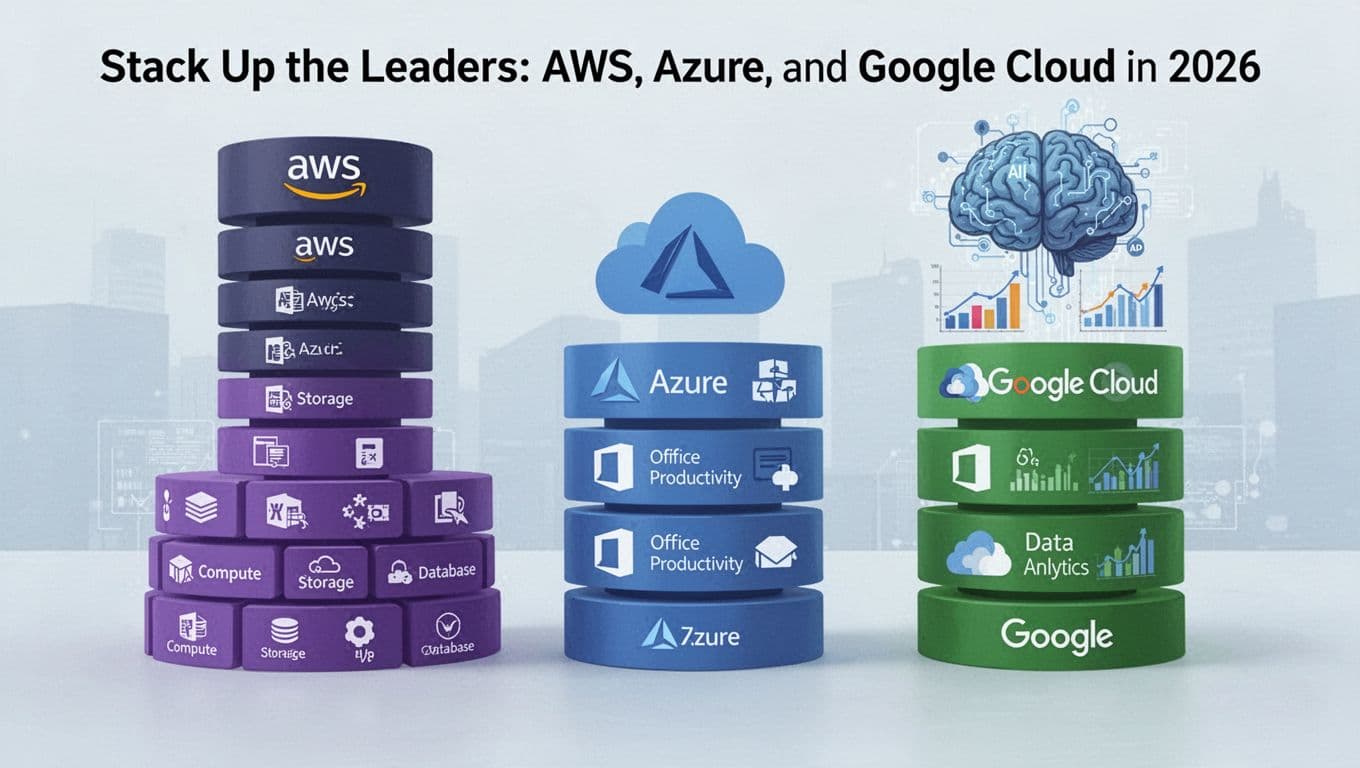
Here’s the helpful way to think about your decision: map your needs to how each platform behaves under pressure. Then confirm the pricing model before you commit.
AWS: The All-Rounder for Big Scale
AWS earns its nickname because it supports a huge range of use cases, from simple apps to massive enterprise platforms. You get 200+ services, lots of partners, and a broad set of building blocks. That matters when your product roadmap changes. It also matters when you need a single provider to cover compute, storage, networking, data, security, and operations without constant tool switching.
At the same time, AWS can feel like a big toolbox. A toolbox helps, but only if you know what you’re reaching for. If you let “default everything” turn into architecture, your costs can creep up fast, especially when you scale data transfer, logging, and managed services.
AWS also has a strong AI story for 2026, thanks to Amazon Bedrock, which helps teams build generative AI apps through a managed layer. If you want one of the fastest paths to production, Bedrock can reduce the setup burden compared to running and fine-tuning every component yourself. You can review AWS’s overview of Bedrock here: Amazon Bedrock official overview.
Still, don’t ignore cost. Token-based billing can surprise you when:
- You run long prompts
- You add multiple tool calls per user request
- You log prompts and outputs for audits
- You test with large datasets before you optimize
A simple budgeting habit helps. Estimate your monthly request volume, then multiply by average prompt and response size. After that, add a buffer for retries during early tuning.
AWS tends to fit best when:
- You want broad service coverage (generalist by design)
- You need proven scaling patterns (multi-region, mature operations)
- Your team already has AWS experience
- You plan to mix many services instead of only one stack
If your goal is “one platform that can grow with us,” AWS usually stays near the top. The watch-out is cost discipline, so set guardrails early.
Azure: Perfect if You Live in Microsoft World
Azure shines when your business runs on Microsoft, because it connects cloud apps to the tools you already use. If your identity system, productivity stack, security policies, or internal workflows tie into Microsoft, Azure often feels like it clicks faster. It’s less like buying a new house, and more like moving furniture into a place you already know.
One of the biggest practical drivers in 2026 is how Azure fits into an office-centered environment. When your org uses Microsoft 365 and Teams, your teams may already understand access rules, admin controls, and user lifecycle concepts. In many cases, that means fewer translation steps during migration.
Azure also brings strong AI options through Azure OpenAI Service. If you want AI features inside an enterprise setup, this can align well with governance needs. For an enterprise-focused overview, see Azure OpenAI Service enterprise guide.
Hybrid is another major reason companies pick Azure. Many organizations cannot move everything at once, due to data residency, legacy apps, or operational risk. Azure supports hybrid patterns that let you run some workloads in your data center, then connect them to cloud services. That lets you modernize gradually, not all at once.
However, hybrid can add complexity. You need clear boundaries: what runs where, how identity works across environments, and who owns each integration. Without that clarity, troubleshooting takes longer.
Azure tends to fit best when:
- You rely on Microsoft tools (Microsoft 365, Active Directory, Teams)
- You need enterprise security and governance patterns that match your org
- You plan a hybrid rollout over time
- Your teams want predictable operations aligned to existing processes
A good rule: if your day-to-day work already orbits Microsoft, Azure usually reduces the friction tax. The platform also makes it easier to build internal AI experiences, especially when you want AI to sit close to business users.
Google Cloud: AI and Data Powerhouse
Google Cloud is the pick many teams choose when data and AI drive the roadmap. If your workloads center on analytics, machine learning, or large-scale data processing, Google Cloud often feels like it was built for that job. It’s not just about having AI tools. It’s about how the platform connects data pipelines, storage, and compute so you can iterate quickly.
Kubernetes is a big part of that picture. With GKE (Google Kubernetes Engine), teams can run container workloads with strong control over deployment and scaling. If you’re comparing costs and want practical tactics for running GKE, you can start with GKE pricing and cost-saving techniques.
Then there’s analytics. Google Cloud’s data services support fast query workflows and large-scale processing. Teams that already operate with strong analytics practices often appreciate how quickly they can move from raw data to insights. If you want an overview of BigQuery cost optimization patterns, try Google BigQuery cost optimization 2026.
Cost savings can also happen on Google Cloud, but it depends on the workflow you build. Serverless or managed services can reduce ops work for developers. Yet they can also increase spend if you run heavy queries without guardrails. Data teams sometimes run “just one more query,” and that habit turns into real money.
To keep costs stable, focus on:
- Query design that avoids scanning more data than needed
- Partitioning and clustering strategies
- Tight access controls so fewer people can run expensive workloads
- Clear budgets per project or team
Google Cloud tends to fit best when:
- Data analytics and AI models drive product value
- Your team cares about fast iteration on datasets
- You want Kubernetes-friendly deployments (especially for container apps)
- You’re willing to invest in data cost controls early
If AI is your main goal, Google Cloud deserves serious consideration. Pair that with solid cost guardrails, and it can feel like turning on a high-gear engine without rebuilding the car each time you accelerate.
Stay Ahead with 2026 Cloud Trends That Change Everything
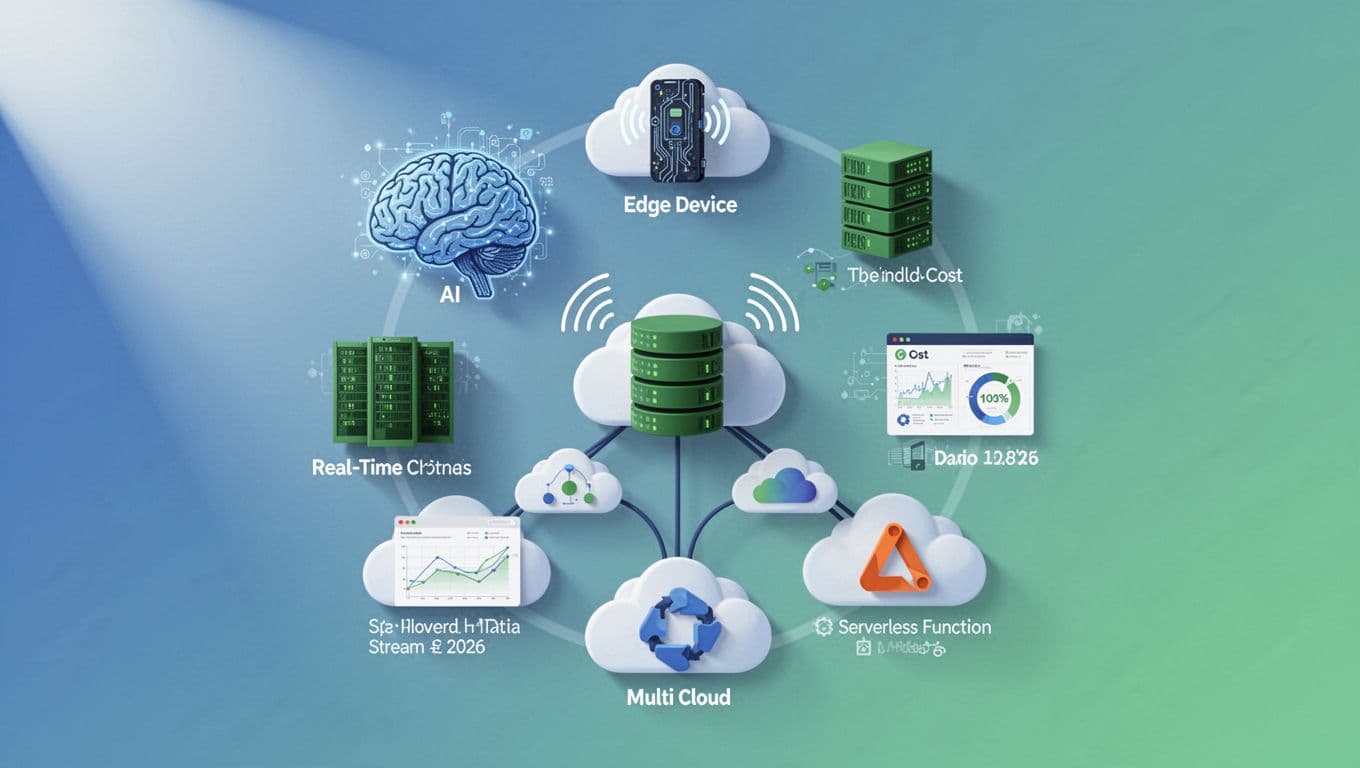
Cloud choices no longer hinge only on “who has the cheapest VM.” In 2026, the winning provider also helps you ship AI faster, react to real-time events, and keep costs under control as usage changes.
The best part? These trends point to practical decision rules. You can use them during vendor evals, in architecture reviews, and in contract negotiations.
AIaaS and the move from “build AI” to “buy outcomes”
AI-as-a-Service (AIaaS) keeps growing because it cuts the heavy lift. Instead of building every layer yourself, you rent the parts you need: model access, inference endpoints, and managed tooling.
That shift matters for business decisions. When AI workload patterns change weekly, you want a platform that can scale without drama. You also want guardrails for data handling, logging, and access controls.
Here’s how to spot strong AIaaS support when you compare AWS, Azure, and Google Cloud:
- Managed inference you can call directly from your app
- Tuned deployment options for cost and latency
- Governance features for who can use what, and what gets stored
- Clear pricing mechanics for requests, tokens, and retries
If you want a grounded look at how AIaaS is sold and priced, see AI Infrastructure as a Service (AIaaS) basics.
One quick analogy helps. Treat AIaaS like a power outlet, not a DIY power plant. You still design the device, but you should not have to rewire the city every time demand spikes.
Edge computing plus real-time data, for apps that can’t wait
Many products now act like live systems, not batch jobs. A new order hits, a fraud signal fires, a sensor reports, and you need an action in seconds. That’s where edge computing shows up.
Edge shifts work closer to where data is created. As a result, you reduce delay and sometimes reduce network costs. It also fits modern patterns like hybrid setups, where some logic runs on-prem while cloud services handle longer processing.
Real-time data goes hand in hand. You want streaming ingestion, fast storage, and quick querying without long refresh cycles. Otherwise, the “live” feature becomes a slow dashboard.
When evaluating providers, ask whether they support:
- Streaming pipelines and event-based routing
- Low-latency compute near the data source
- Event-driven scaling for burst traffic
- Operations tooling for tracing incidents in real time
You’ll also want to test one small workload end-to-end. For example, simulate peak traffic, then measure delay from event to action. Compare that result, not just the marketing.
FinOps, sustainability, and multi-cloud: the practical future-proof mix
Two forces shape cloud choices the most in 2026: cost control and risk control.
First, FinOps is moving beyond “watch the bill.” Teams use it to manage AI cost spikes, data egress surprises, and fast-changing workloads. If you want a read on how FinOps is evolving, the State of FinOps 2026 report is a useful benchmark.
Second, sustainability is getting real. Providers invest in more efficient hardware and greener data center practices. As regulations and customer demands grow, sustainability becomes part of vendor evaluation, not a nice-to-have.
Finally, look at multi-cloud. Many organizations spread risk and meet different needs. Current reporting points to about 87% multi-cloud adoption, and the main reason is simple: teams want flexibility without breaking their architecture. For strategy framing, Multi-Cloud Strategy: Building a Winning Cloud Strategy for 2026 and Beyond helps translate that into practical operating rules.
So, how do you “future-proof” your provider selection?
- Prioritize vendors that clearly invest in FinOps tooling, cost visibility, and budget controls.
- Favor platforms that support serverless and event-driven scaling for unpredictable load.
- Choose providers with credible edge and real-time offerings if your product needs speed.
- Validate that governance and data movement options reduce lock-in risk.
In short, future-proofing is not guessing the next feature. It’s building with patterns that stay workable when your traffic, workloads, and compliance needs change.
Your Step-by-Step Plan to Switch Without Headaches
Switching clouds feels scary until you treat it like a real project. If you plan the move in phases, you cut risk, control cost, and avoid the late-night “why is this down?” calls.
Think of this plan like replacing a roof while people still live in the house. You need the right materials, a clear path, and a way to stop leaks fast. Use this sequence, and you’ll make better decisions with fewer surprises.
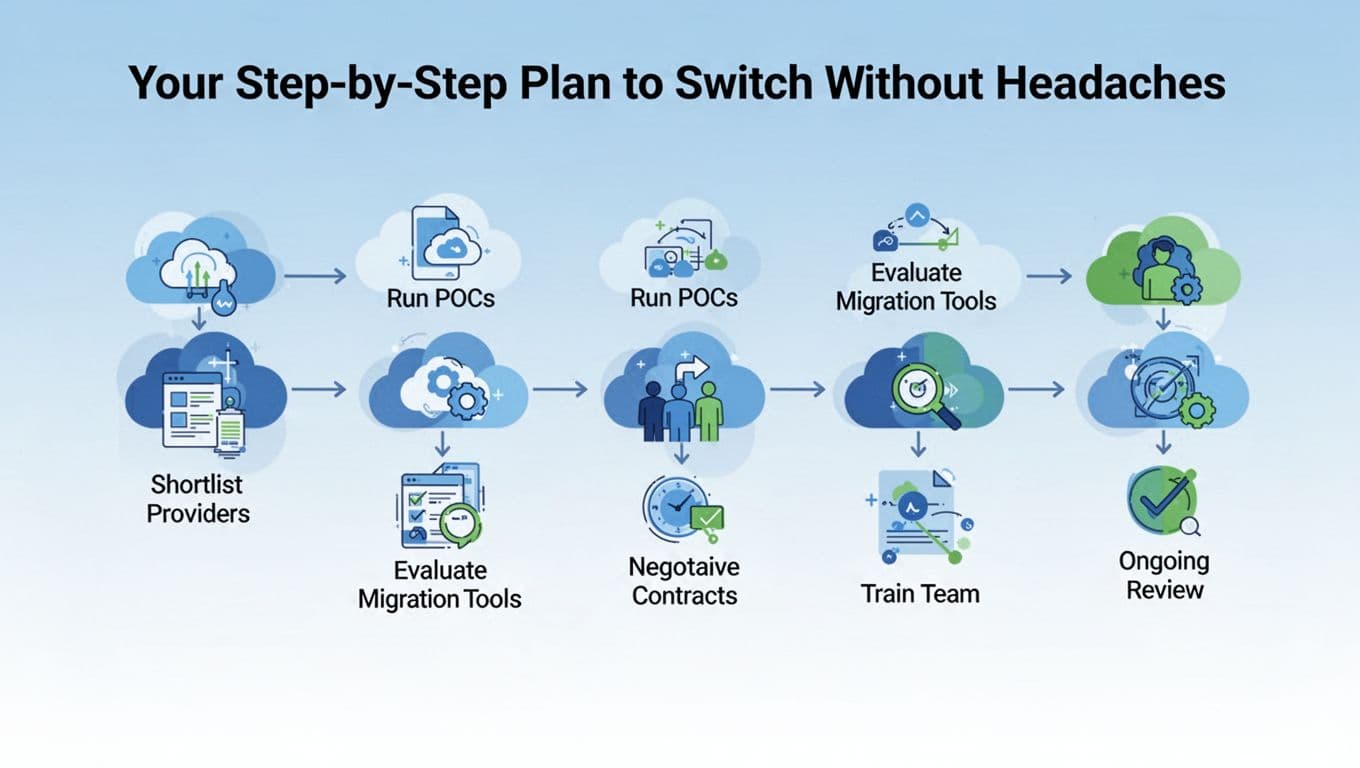
Step 1: Shortlist 3 providers and write down your “must-win” criteria
Start narrow, so you can go deep. Pick three providers max (for most teams, that’s usually AWS, Azure, and Google Cloud). Then define your “must-win” criteria based on earlier needs like cost, security, and performance.
This is where people usually slip. They compare vague features instead of real outcomes. Therefore, write success metrics you can measure during tests. Examples include:
- Time to deploy a new service
- Monthly cost for a fixed workload
- Latency from your main customer regions
- Recovery time during a simulated failure
- Audit readiness, including logging and access trails
Also, list constraints that shape your choices. For example, you might need a specific identity setup, a certain database engine, or a hybrid connection. When you make these constraints explicit, your shortlist becomes smarter and faster.
Finally, confirm your path to avoid lock-in. Use the same approach across clouds where possible, like containers and common deployment patterns. For a 2026 view on migration best practices, this guide on cloud migration best practices for 2026 is a helpful reference point as you write your criteria.
Step 2: Run a short POC for the exact workloads you plan to move first
Now you test like a customer, not like a tourist. Run a proof of concept (POC) on a small slice of your workload. Pick services that represent your real mix, not your easiest demo.
A good POC includes both “happy path” and stress. First, validate deployment and scaling. Next, measure latency, then run a load test that matches real peak behavior. After that, test failure modes like a bad container image, an unreachable database, or a region blip.
Keep your scope tight:
- One web or API workload
- One data dependency (database or storage)
- One background job or queue
- One observability setup (logs, metrics, traces)
Then record results in the same format for each provider. You want apples-to-apples comparisons, not scattered notes.
If you want a migration tool that helps you track progress in a structured way on AWS, review how teams use AWS Migration Hub for application migration. Even if you do not choose AWS, the workflow idea (inventory, track, and coordinate) transfers well.
Step 3: Check migration tools, but verify they fit your app type
Migration tools can save time, but only if they match your app design. Therefore, start by classifying each workload:
- Rehost (lift-and-shift): fast move, fewer code changes
- Replatform: small changes, like managed databases
- Refactor: redesign to use cloud-native services
- Repurchase: switch to SaaS if it fits
Then connect each category to the tools that best fit it. For example, VM-based apps often migrate differently than container-based apps. Data moves need their own plan, including backups, replication, and validation.
Also, check what the tool helps with beyond copying bits. You want support for discovery, mapping dependencies, cutover tracking, and rollback planning. Otherwise, you end up managing migration by spreadsheets, which gets messy fast.
Finally, confirm operational fit. If your app needs strict change windows, make sure the tool supports incremental runs and clear rollback steps. That’s how you prevent “migration day” from becoming a long outage.
Step 4: Negotiate contracts using timing and cost controls, not just discounts
Contracts decide your true cost, especially when usage spikes during early ramp-up. First, map your expected workloads to pricing terms. Then plan timing around existing discounts you might have on your current cloud.
For example, if you hold Reserved Instances or Savings Plans, your switch timing matters. You do not want to pay twice while you solve migration issues.
During contract talks, ask questions that affect real budgets:
- What discounts apply to the exact services you’ll use?
- How do egress and inter-region transfer get priced?
- Are there credits for service issues, and how do they work?
- What support tier includes response times you need?
Also, request visibility into your cost structure. You should get tools and reporting that help finance see costs by team, project, or tag. That reduces guesswork and helps you spot drift early.
When you evaluate any provider’s migration approach, case studies can help. For AWS specifically, this example shows what “migration at scale” looks like: 3M accelerating migration with AWS Application Migration Service. Use it for pattern recognition, not as a promise for your exact results.
Step 5: Train your team on both the platform and the migration process
Training prevents most “we should have known that” problems. So do not only teach platform buttons. Teach how to run deployments, monitor systems, and respond to incidents in the new environment.
Plan training in layers:
- Basics: identity, networking, storage, logging
- Your stack: how your specific apps connect and deploy
- Operations: alerting, runbooks, incident roles
- Migration methods: cutover steps, rollback steps, data validation
You also need a shared vocabulary. When people use different terms for the same step, errors rise during cutover. Therefore, create a single runbook template for every workload being migrated.
Finally, schedule hands-on practice close to migration. If training finishes months before cutover, skills fade. Instead, do a short “dress rehearsal” with the same runbook and the same rollback plan you’ll use on launch day.
Step 6: Plan ongoing review from day one (so you keep control after launch)
The switch does not end at cutover. After go-live, the real work starts: optimization, governance, and cost control. This is where FinOps matters, and it should start early. As a result, you avoid slow cost creep.
Set a review rhythm that your team can sustain:
- Weekly cost and usage checks (especially for new services)
- Monthly security and access review (roles, keys, audit logs)
- Quarterly performance checks (latency, scaling behavior)
- After every incident: a short post-mortem and action items
Also, keep testing your operational readiness. Run small failure drills. For example, simulate a bad deployment, then measure time to recover. Then update runbooks based on what you learn.
If you plan for it now, “ongoing review” becomes normal work, not a crisis response. Your goal is simple: keep improving the setup while your business grows.
Conclusion
Choosing the right cloud service comes down to one clear decision: match your workloads to the provider that fits how your team builds, secures, and scales. Your earlier steps, from costs and uptime to performance tests and a short POC, give you a choice you can defend.
Cloud spending is still climbing fast, with public cloud expected to surpass $1 trillion in 2026, mainly driven by AI platforms, new apps, and higher security needs. So picking well now helps you avoid rework later, when growth accelerates.
Start a free trial with the top two providers from your shortlist, run the same small workload tests, and keep score on latency, cost, and operational effort. Which one did you pick (or what’s your top contender) after comparing your results, and why?